
Why Is My Computer Running Slow? | Auckland Repair
Why Is My Computer Running Slow? How to Diagnose and Fix Common Issues
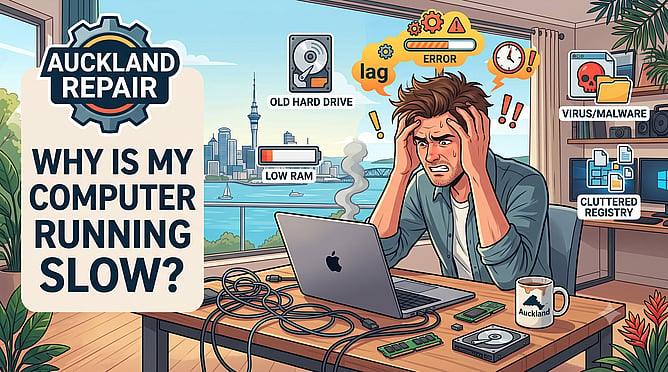
Few things are more frustrating than a slow, unresponsive computer when you are trying to get work done. Whether you are waiting ages for your laptop to start up, watching the mouse cursor spin endlessly, or experiencing sudden crashes, a drop in performance is a clear sign that your computer needs some attention.
Over time, both Macs and PCs accumulate software clutter and experience hardware wear. Before you give up and spend thousands on a brand-new machine, let's look at the most common culprits behind a slow computer and how you can fix them.
Too Many Programs Launching at Startup
When you turn your computer on, dozens of applications might be quietly opening themselves in the background without your knowledge. These background programs consume valuable processing power and memory before you even open a web browser.
* Fix: Check your computer's startup settings and disable any programs you do not need immediately. On a PC, use the Task Manager; on a Mac, check your Login Items under System Settings.
An Overloaded or Failing Hard Drive
Your computer's operating system needs free space on the internal drive to run smoothly. If your hard drive is filled to the brim with old photos, videos, and large files, your computer will slow down significantly. Furthermore, if your computer uses an older style mechanical hard drive (HDD), the physical components naturally wear out over time.
* Fix: Aim to keep at least 15 percent of your drive space completely free. If your machine uses an older HDD, upgrading to a modern Solid State Drive (SSD) will make your computer run up to five times faster instantly.
Software Updates are Lagging Behind
Postponing those system update notifications might save you a few minutes now, but it hurts your performance over time. Software updates do not just add new features; they fix performance bugs, optimise system resources, and patch critical security holes.
* Fix: Regularly check your system settings to ensure your operating system and web browsers are fully updated to the latest versions.
Hidden Malware and Adware Infections
If your computer has been infected with malware, malicious programs could be secretly running in the background, stealing your processing power to send spam or mine data. Common signs of an infection include random pop-up ads, your search engine changing unexpectedly, or a sudden, dramatic drop in operating speed.
* Fix: Run a thorough scan using a reputable malware removal tool to clean out malicious files.
When to Call a Professional Technician
While basic software cleaning helps, deep mechanical issues or persistent malware infections require expert intervention.
At BillyTec, we provide fast, professional diagnostic and repair services for both Mac and PC users throughout the Auckland region. From hardware upgrades like installing fast SSDs and extra RAM, to complete operating system cleanups and malware removal, we can restore your machine to its peak performance.
Tired of staring at a freezing screen?
Contact BillyTec today for reliable computer repairs and fast technical support anywhere in Auckland.